
Download Proddy – AI Assistant for Product Management
Overview
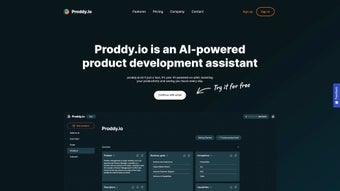
Proddy is a cutting‑edge AI‑powered web application built specifically for product managers, founders, and small‑business teams that need a reliable co‑pilot for documentation and planning. By turning a handful of bullet points or a brief idea into a fully‑fledged product brief, roadmap, or specification document, Proddy eliminates the tedious manual effort that traditionally slows down product development cycles. The platform blends natural‑language processing with best‑practice templates, allowing users to generate clear, consistent, and shareable artefacts in seconds. A free trial gives new users the chance to explore its capabilities without commitment, while the subscription model provides continuous updates, priority support, and access to premium AI features. Whether you are launching a SaaS MVP, iterating on an existing product line, or simply need a structured way to capture stakeholder requirements, Proddy’s intuitive interface and AI intelligence help teams stay aligned, reduce miscommunication, and accelerate time‑to‑market.
Key Features of Proddy
- AI‑Generated Product Briefs: Input a short description or a list of key objectives and let Proddy expand it into a comprehensive brief, complete with market analysis, user personas, and success metrics.
- Template Library: Access a curated collection of industry‑tested templates for roadmaps, requirement documents, launch plans, and stakeholder presentations.
- Real‑Time Collaboration: Share documents instantly with teammates, collect comments, and watch changes sync live across browsers.
- Version Control & History: Every AI‑generated draft is saved, allowing you to revert to previous versions or compare iterations side‑by‑side.
- Contextual Guidance: Proddy offers best‑practice suggestions as you type, ensuring that you follow proven product‑management methodologies.
- Multi‑Language Support: Generate documents in English, Spanish, French, and German, expanding the reach of globally distributed teams.
- Secure Cloud Storage: All data is encrypted at rest and in transit, meeting GDPR and CCPA compliance standards.
- Integration Ready: Export to PDF, Google Docs, Confluence, or connect via API to existing PLM and project‑management tools.
- Free Trial & Scalable Pricing: Test all premium features for 14 days; subscription plans scale from solo entrepreneurs to enterprise teams.
- Continuous AI Updates: Proddy’s language model receives monthly improvements, keeping it aligned with the latest product‑management trends.
Installation & Usage Guide
Getting Started – No Download Required
Proddy is a web‑based SaaS solution, which means there is no traditional software download or installation process. To begin, navigate to www.proddy.com and click the “Start Free Trial” button. You will be prompted to create an account using an email address or a single sign‑on (SSO) option such as Google or Microsoft. After confirming your email, you are taken directly to the dashboard where the AI assistant awaits your first input.
Creating Your First Document
Once inside the dashboard, click the “New Document” button and select the type of artefact you need—product brief, roadmap, or requirement spec. In the text box labeled “Start with a prompt,” type a concise description of your product idea, for example: “A mobile app that helps freelancers track billable hours and generate invoices.” Proddy’s AI engine analyzes the input, pulls from its template library, and presents a structured draft within 30 seconds. You can then edit sections, add custom data, or ask Proddy follow‑up questions such as “Add a competitive analysis for similar tools.” The AI will automatically insert a table comparing key competitors, saving you hours of research.
Collaboration and Export
When the document is ready, use the “Share” button to generate a secure link or invite teammates via email. All collaborators can comment in real time, and any changes are logged in the version history. For final delivery, choose an export format—PDF for client‑facing presentations, Google Docs for collaborative editing, or markdown for integration with development wikis. Proddy also offers an API endpoint that developers can call from CI/CD pipelines to automatically generate release notes from sprint retrospectives.
Support and Ongoing Learning
If you encounter any roadblocks, the “Help Center” provides step‑by‑step tutorials, video walkthroughs, and a searchable knowledge base. Proddy’s support team is reachable via live chat during business hours, and premium subscribers receive priority response times. Additionally, the platform offers a monthly webinar where product leaders share tips on maximizing AI‑assisted documentation.
Compatibility, Pros & Cons, and Frequently Asked Questions
Because Proddy is delivered entirely through the browser, it runs on any modern operating system—Windows 10/11, macOS Monterey and later, Linux distributions, Chrome OS, as well as mobile browsers on iOS and Android. The only requirement is a stable internet connection and a recent version of Chrome, Edge, Firefox, or Safari.
Pros
- Instant AI‑generated documentation saves weeks of manual drafting.
- Web‑based access eliminates the need for local installations and ensures cross‑platform compatibility.
- Robust template library covers most product‑management artefacts.
- Real‑time collaboration and version control improve team alignment.
- Secure, GDPR‑compliant cloud storage protects sensitive product data.
- Scalable pricing accommodates solo founders and large enterprises alike.
Cons
- Reliance on internet connectivity; offline work is not currently supported.
- AI output may require review for industry‑specific terminology.
- Advanced customization of templates may need a learning curve.
- Subscription cost could be a barrier for very early‑stage startups with limited budgets.
Frequently Asked Questions
Can I use Proddy without an internet connection?
At this time Proddy is a cloud‑native SaaS product, so an active internet connection is required to generate documents, sync changes, and access the AI engine. The team is exploring offline capabilities for future releases.
How secure is the data I store in Proddy?
All data is encrypted both in transit (TLS 1.3) and at rest (AES‑256). Proddy complies with GDPR, CCPA, and ISO‑27001 standards, and you can configure role‑based access controls to limit who can view or edit each document.
What pricing plans are available after the free trial?
Proddy offers three main tiers: a “Solo” plan for individual users at $15 / month, a “Team” plan for up to 10 collaborators at $45 / month, and an “Enterprise” plan with custom pricing, SSO, and dedicated account management. All plans include unlimited document generation and API access.
Can I integrate Proddy with my existing project‑management tools?
Yes. Proddy provides native integrations with Jira, Asana, Trello, and Confluence via API connectors. You can also export documents as markdown or CSV to feed directly into your preferred workflow tools.
Is there a limit to how many documents I can generate?
During the free trial you can generate up to 20 documents. Paid subscriptions offer unlimited generation, though there are reasonable usage quotas to ensure fair performance for all users.
Conclusion & Call to Action
Proddy stands out as a powerful AI co‑pilot that transforms vague ideas into polished product documentation, dramatically cutting down the time product teams spend on writing and formatting. Its browser‑based design guarantees that anyone with a modern device can access the tool, while the robust feature set—from template libraries to real‑time collaboration—addresses the core pain points of product managers and founders. Although offline functionality and deeper template customization are areas for future improvement, the current offering delivers a secure, scalable, and user‑friendly experience that justifies its subscription price for most growing teams.
If you’re ready to accelerate your product development cycle, eliminate repetitive documentation work, and ensure every stakeholder receives clear, consistent information, click the button below to start your 14‑day free trial of Proddy today. Experience firsthand how AI can become your most trusted partner in turning concepts into successful products.



.png)



